Bloom Filters: Answering \"Have I Seen This?\" Without Storing Everything
Series: System Design · Scalability & Infrastructure — Pillar 6 of 8
Systems Design
| # | Post | What it covers |
|---|---|---|
| 00 | Scalability & Infrastructure: The Layer Between Your Code and the Internet | Nine concepts covering load balancing, rate limiting, proxies, compression, and probabilistic data structures that keep large systems fast and reliable. |
| 01 | Client-Server Architecture: The Model Everything Else Builds On | Client-server is the foundational model for distributed systems. Learn what clients and servers know, where state lives, and how the model scales. |
| 02 | Load Balancing: Distributing Traffic Across Servers | Load balancers distribute traffic across servers for scale and availability. Learn how they work, what types exist, and what they require of backend servers. |
| 03 | Load Balancing Algorithms: How Traffic Is Distributed | Round robin, least connections, IP hash, weighted — each algorithm makes different tradeoffs. Learn how to choose the right one for your workload. |
| 04 | Rate Limiting: Protecting Services from Overload | Rate limiting protects services from overload and abuse. Learn how token bucket, leaky bucket, and sliding window algorithms work and when to use each. |
| 05 | Proxy vs Reverse Proxy: Which Way Does It Face? | Forward proxies protect clients; reverse proxies protect servers. Learn how each works, what Nginx and Cloudflare do, and when you need which. |
| 06 | Data Compression: Smaller, Faster, Cheaper | Compression reduces bandwidth and storage costs. Learn how Gzip, Brotli, LZ4, and zstd work, where to apply them, and the CPU tradeoffs involved. |
| 07 | Checksums: Detecting Corruption Before It Becomes a Catastrophe | Checksums detect silent data corruption in transit and storage. Learn how CRC32, MD5, and SHA-256 work and where to apply them in distributed systems. |
| 08 | Bloom Filters: Answering "Have I Seen This?" Without Storing Everything ← you are here | A Bloom filter answers "have I seen this?" in constant memory. Learn how they work, why false positives are acceptable, and where they're used in production. |
| 09 | HyperLogLog: Counting Distinct Items Without Storing Them | HyperLogLog counts distinct values in ~1.5 KB of memory with <2% error. Learn how it works and why Redis, BigQuery, and Postgres use it. |
| 10 | Scalability & Infrastructure: Wrap-Up | A recap of all 9 scalability concepts: load balancing, rate limiting, proxies, compression, checksums, Bloom filters, and HyperLogLog. How they fit together. |
Bloom Filters: Answering "Have I Seen This?" Without Storing Everything
The problem
Your URL shortener records click events. A common requirement: track unique clicks — a link's "unique visitor count" should count each user (or each IP address) only once per day, even if they click the same link multiple times.
The naive approach: for each click event, query a database to check whether this IP has already clicked this link today. If not, record the click as unique.
At fifty thousand clicks per second across millions of links, that's fifty thousand database queries per second just for uniqueness checking. The database drowns.
The alternative: store a set of (link_id, ip_address, date) tuples in Redis. Membership check in O(1). But: at 50k unique clicks/second for 24 hours, that's 4.3 billion entries per day. At ~50 bytes per entry, that's 215GB of Redis memory — just for today's unique visitor tracking.
You need to answer "have I seen this combination before?" — billions of times per day — without storing every combination you've seen.
The core idea
A Bloom filter is a probabilistic data structure that answers membership queries ("is X in the set?") using a fixed-size bit array, regardless of how many items have been added. It can return false positives (saying "yes" when the answer is "no") but never false negatives (saying "no" when the answer is "yes").
For unique-click tracking: if the Bloom filter says "no, haven't seen this IP for this link today," that's guaranteed correct — record a unique click. If it says "yes," it might be a false positive (it's actually the first click from this IP), but we treat it as a repeat and don't count it. The false positive rate is tunable — typically 1–3% — meaning 1–3% of genuine first-clicks are miscounted as repeats. Acceptable for most analytics use cases.
The payoff: the Bloom filter holds a few MB rather than 215GB.
The analogy: a pre-screening before a thorough check
A hiring team receives thousands of CVs. Before doing full background checks (expensive), a recruiter pre-screens: "have we rejected this candidate before?" The recruiter checks a quick reference file (not a full database). If the file says "definitely not seen before" — proceed to background check. If it says "might have seen" — double-check the full database.
The reference file occasionally false-positives (says "might have seen" for a new candidate), causing a wasted database check. But it never false-negatives — it never says "not seen" for someone who was genuinely rejected. The database is only consulted when the pre-screen is uncertain, dramatically reducing database load.
How it works
The data structure
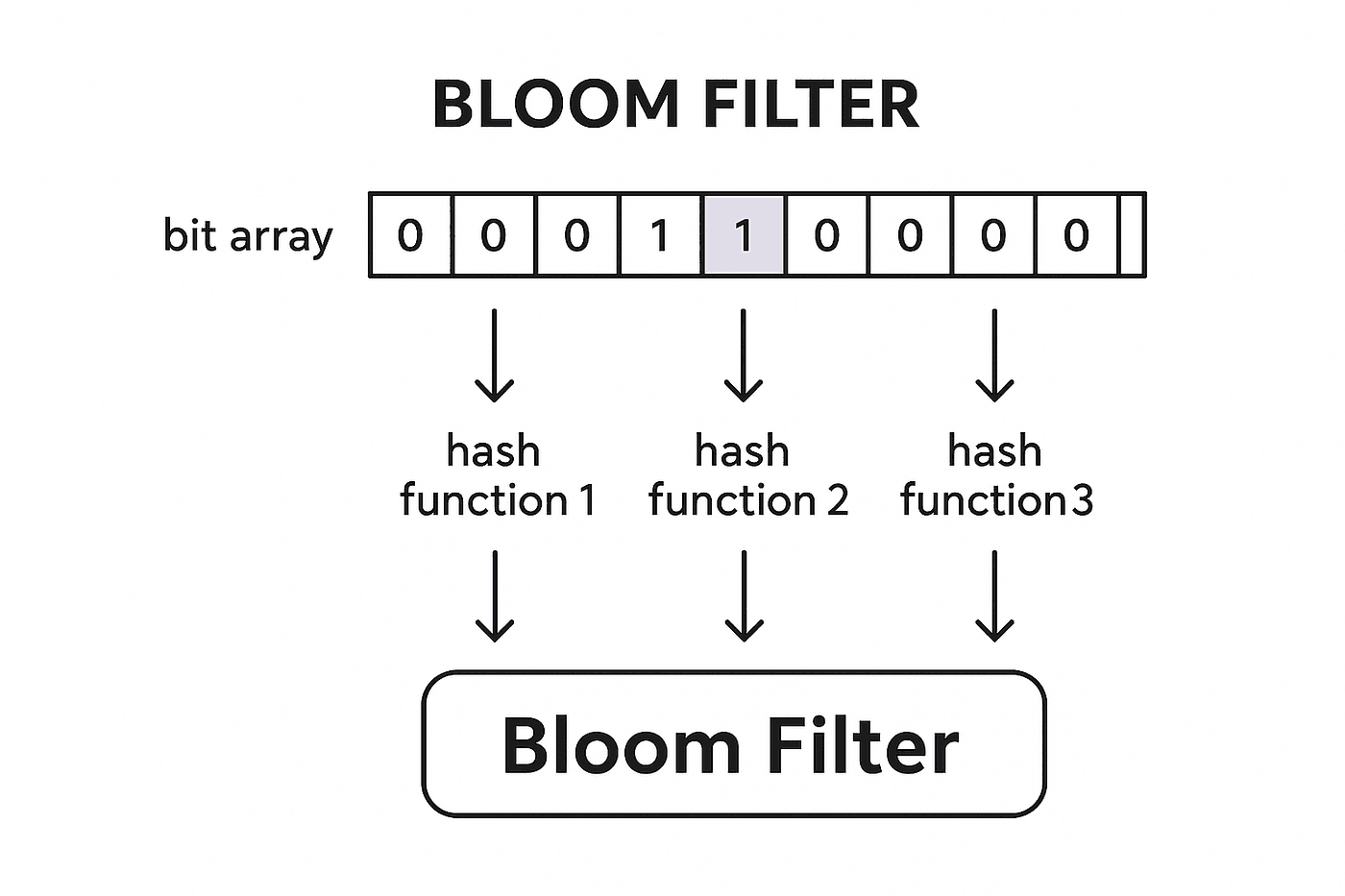
A Bloom filter consists of:
A bit array of size
m(e.g., 1 million bits = 125 KB), initially all zeroskindependent hash functions, each mapping an item to a position in [0, m)
Adding an item
To add item x:
Compute
khash values:h1(x),h2(x), ...,hk(x)Set bits at all
kpositions in the bit array to 1
Adding "203.0.113.42 + link:x7Kp2 + 2025-06-01":
  h1 → position 42,391 → set bit 42,391 to 1
  h2 → position 381,027 → set bit 381,027 to 1
  h3 → position 921,654 → set bit 921,654 to 1
Querying an item
To check if item x is in the set:
Compute
h1(x),h2(x), ...,hk(x)Check if all
kbits are set to 1
All bits are 1: the item is probably in the set (might be a false positive)
Any bit is 0: the item is definitely not in the set (no false negative possible)
Why false positives can occur (interactive diagram)
If bits at positions h1(x), h2(x), h3(x) happen to have been set by other items (not x), the filter incorrectly reports x as present. As the filter fills up, the probability of false positives increases.
False positive rate formula
p ≈ (1 - e^(-kn/m))^k

where:
  p = false positive probability
  n = number of items inserted
  m = bit array size
  k = number of hash functions
The optimal k (minimising false positives) is k = (m/n) × ln(2).
Practical sizing:
| m/n (bits per item) | False positive rate |
|---|---|
| 10 bits | ~1% |
| 15 bits | ~0.1% |
| 20 bits | ~0.01% |
For 100 million unique click combinations per day at 1% false positive rate: 100M × 10 bits = 1 billion bits = 125 MB. Compared to 5GB+ for exact storage.
No deletions (standard Bloom filter)
Standard Bloom filters do not support removing items. Once a bit is set to 1, you cannot clear it without risking false negatives for other items that hash to the same position.
Counting Bloom filter: replaces single bits with small counters. Decrement on removal. Larger memory footprint.
Cuckoo filter: an alternative structure that supports deletions with comparable memory efficiency to Bloom filters. Uses cuckoo hashing.
Real-world applications
LSM tree storage engines (Cassandra, RocksDB): each SSTable has a Bloom filter. Before checking an SSTable for a key, the query checks its Bloom filter. A "definitely not present" result skips the entire SSTable (no disk read). This dramatically reduces read amplification — covered in the LSM tree post.
Web crawlers (Google, Bing): to avoid re-crawling pages already visited, crawlers maintain a Bloom filter of seen URLs. "Definitely not seen" → add to crawl queue. "Probably seen" → skip. At web scale, this saves enormous amounts of crawl capacity.
CDN and caching: CDNs use Bloom filters to decide whether a URL is "probably cached" at this edge node before checking the actual cache index. Avoids cache misses to origin for popular content.
Database query optimisation: PostgreSQL uses Bloom filter indexes (CREATE INDEX ... USING bloom) for multi-column equality queries where a standard B-tree index would be too large or too slow to create.
Email spam detection (spam word lists): fast pre-screening against known spam signatures before more expensive analysis.
Cryptocurrency (Bitcoin): lightweight clients use Bloom filters to ask full nodes "do you have transactions involving any of these addresses?" without revealing which addresses they're interested in (privacy-preserving membership query).
Bloom filter in Redis
Redis has a built-in Bloom filter data type (via the RedisBloom module):
# Add items to a Bloom filter
BF.ADD click_unique:link:x7Kp2:2025-06-01 "203.0.113.42"
# → 1 (item was not present, now added)

BF.ADD click_unique:link:x7Kp2:2025-06-01 "203.0.113.42"
# → 0 (item was already present)

# Check membership
BF.EXISTS click_unique:link:x7Kp2:2025-06-01 "198.51.100.7"
# → 0 (definitely not present — first click, count as unique)

BF.EXISTS click_unique:link:x7Kp2:2025-06-01 "203.0.113.42"
# → 1 (probably present — treat as repeat, don't count)
The filter can be created with explicit capacity and error rate:
BF.RESERVE click_unique:link:x7Kp2:2025-06-01 0.01 1000000
# 1% error rate, capacity 1 million items
Tradeoffs
Memory vs accuracy. Lower false positive rate requires more bits per item. The relationship is roughly linear: halving the false positive rate costs ~50% more memory.
No exact answers for positives. Bloom filters are a pre-screening tool, not a definitive membership store. For workloads where false positives are unacceptable (financial transactions, user data), Bloom filters are a filter before an exact lookup, not a replacement for one.
No iteration or retrieval. You can't list all items in a Bloom filter — it's a one-way structure. Items are added, not stored.
No removal (standard). Once added, items can't be removed. Use counting filters or cuckoo filters if deletion is required.
The one thing to remember
A Bloom filter answers "definitely not" or "probably yes" in constant time and constant memory, regardless of how many items have been added. The no-false-negative guarantee is what makes it useful: anything the filter clears as "not present" can skip the expensive lookup entirely. False positives are the price — tune the error rate based on how much memory you can afford and how much error your use case tolerates. At 10 bits per item and 1% error rate, it stores 100 million distinct items in 125 MB.
← Previous: Checksums — how do you know the data you received is the data that was sent? Checksums detect silent corruption without sending the data twice.
→ Next: HyperLogLog — counting distinct items without storing them; the probabilistic algorithm behind "how many unique users visited today?"




