OAuth 2.0 & OpenID Connect: Delegated Access and Federated Identity
Systems Design
| # | Post | What it covers |
|---|---|---|
| 00 | APIs & Communication: How Services Talk to Each Other | How services talk to each other shapes everything about a system. Nine concepts covering REST, WebSockets, async patterns, and API gateways. (146 chars) |
| 01 | API Design: Building Contracts That Last | A great API is a contract that outlasts your code. Here are the principles that make APIs intuitive to consume, safe to evolve, and cheap to maintain. (154 chars) |
| 02 | REST APIs: Constraints That Create Benefits | REST isn't just HTTP with JSON. It's an architectural style with specific constraints — and understanding them explains why REST APIs are designed the way they are. (166 chars) |
| 03 | Authentication vs Authorisation: Two Questions, Two Checks | Authentication is who you are. Authorisation is what you're allowed to do. Confusing them is one of the most common security mistakes in system design. (153 chars) |
| 04 | Session vs Token Authentication: Stateful vs Stateless Identity | Session auth stores identity on the server. Token auth encodes it in the token. Here's how each works, where each breaks, and how to choose. (144 chars) |
| 05 | OAuth 2.0 & OpenID Connect: Delegated Access and Federated Identity ← you are here | OAuth 2.0 lets users grant apps access without sharing passwords. OpenID Connect adds identity on top. Here's how both actually work. (137 chars) |
| 06 | JWT: What's Actually Inside the Token | JWTs are everywhere in modern auth — and frequently misused. Here's exactly what a JWT contains, how the signature works, and what it doesn't protect. (153 chars) |
| 07 | WebSockets: Real-Time Bidirectional Communication | HTTP is request-response. WebSockets are a persistent two-way channel. Here's how they work, when to use them, and what to watch out for at scale. (151 chars) |
| 08 | Long Polling, SSE & Webhooks: The Server-Push Spectrum | Three patterns for server-push communication — long polling, server-sent events, and webhooks. Here's how each works and when to reach for each. (150 chars) |
| 09 | Sync vs Async Communication: The Architectural Fork | Synchronous services couple tightly. Asynchronous services decouple — but add complexity. Here's how to reason about which your system needs. (147 chars) |
| 10 | API Gateways: One Entry Point, Every Cross-Cutting Concern | An API gateway centralises auth, rate limiting, routing, and observability for all your services. Here's what it does, how it works, and when you need one. (158 chars) |
| 11 | APIs & Communication: Wrap-Up | A complete recap of all ten API and communication concepts — REST, auth, JWT, WebSockets, webhooks, async patterns, and API gateways — and how they connect. (161 chars) |
OAuth 2.0 & OpenID Connect: Delegated Access and Federated Identity
The problem
A third-party analytics tool wants to connect to your URL shortener platform to pull click data. The simplest solution: ask users to enter their platform username and password into the analytics tool. The analytics tool stores those credentials and uses them to call your API.
This is a disaster in slow motion. The user has given a third party their master credentials. If the analytics tool is compromised, the attacker has full access to the user's account. If the user changes their password, the integration breaks. There's no way to grant the analytics tool read-only access to just click data — it has access to everything the user can do. There's no way to revoke the analytics tool's access without changing the password, which revokes all other integrations too.
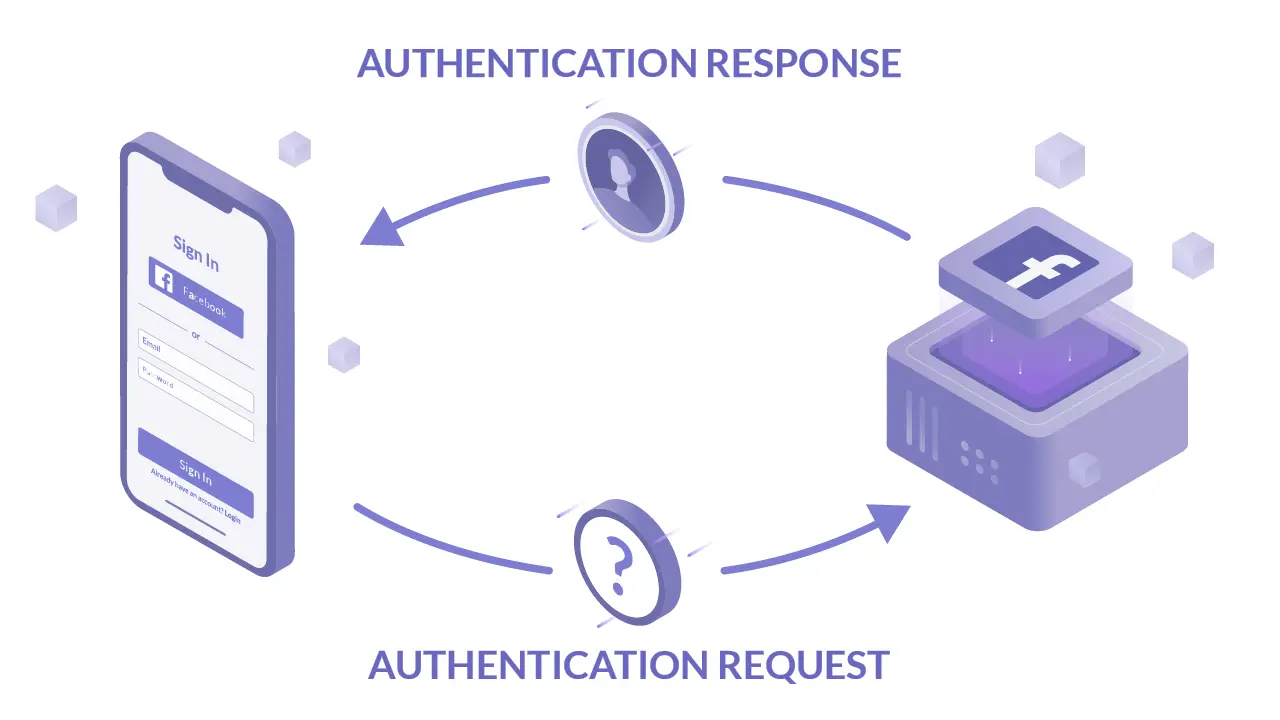
This exact problem is why OAuth 2.0 was created. "Sign in with Google" is the same problem from a different angle — users shouldn't need to create a new password for every service, and services shouldn't store passwords they don't need to.
The core idea
OAuth 2.0 is an authorisation framework that allows a user to grant a third-party application limited access to their resources on another service — without sharing their credentials. The user stays in control: they choose what to grant, they can revoke it independently, and the third party never sees their password.
OpenID Connect (OIDC) is an identity layer built on top of OAuth 2.0. Where OAuth handles "what can this application do on your behalf?", OIDC handles "who are you?" — allowing users to authenticate with one identity provider and use that identity across multiple services.
OAuth is an authorisation protocol. OIDC is an authentication protocol. They're often used together: OIDC handles login, OAuth handles what the logged-in user's session can access.
The analogy: a hotel key card system
You check into a hotel (the authorisation server). The hotel verifies your identity and issues a key card (access token). That key card opens your room (the resource) but not the staff areas, the manager's office, or other guests' rooms. It works for the duration of your stay (token expiry). You can give the key card to someone else (delegated access) and they can open your room but nothing else — and the hotel can deactivate the card remotely at any time (revocation).
The hotel never gave the third party your master key — just a card scoped to specific access for a limited time. That's OAuth.
OpenID Connect is the hotel also issuing you a loyalty card that proves you're a verified guest at any hotel in the chain — you don't re-verify your identity at each hotel, you present the loyalty card.
The OAuth 2.0 roles
OAuth defines four roles:
Resource Owner — the user who owns the data and grants access. In the URL shortener: the user whose link analytics are being requested.
Client — the third-party application requesting access. In the URL shortener: the analytics tool.
Authorisation Server — the server that authenticates the resource owner and issues tokens. In the URL shortener: your auth service (or an identity provider like Auth0, Okta, or Google).
Resource Server — the API that holds the protected resources. In the URL shortener: the links and analytics API.
The OAuth 2.0 authorisation code flow
The most secure and widely used OAuth flow for web applications:
User (Resource Owner)     Client App      Auth Server      Resource Server
       │                      │                │                  │
       │ 1. "Connect your      │                │                  │
       │    analytics tool"    │                │                  │
       │◄─────────────────────│                │                  │
       │                      │                │                  │
       │ 2. Redirect to auth server             │                  │
       │──────────────────────────────────────►│                  │
       │   /authorize?client_id=...             │                  │
       │   &redirect_uri=...                    │                  │
       │   &scope=links:read analytics:read     │                  │
       │   &state=xyz                           │                  │
       │                                        │                  │
       │ 3. Auth server shows consent screen    │                  │
       │◄──────────────────────────────────────│                  │
       │   "Analytics Tool wants to read        │                  │
       │    your links and click data"          │                  │
       │                                        │                  │
       │ 4. User approves                       │                  │
       │──────────────────────────────────────►│                  │
       │                                        │                  │
       │ 5. Redirect back to client with code   │                  │
       │◄──────────────────────────────────────│                  │
       │   ?code=AUTH_CODE&state=xyz            │                  │
       │──────────────────►│                   │                  │
       │                   │ 6. Exchange code for tokens          │
       │                   │──────────────────►│                  │
       │                   │  POST /token       │                  │
       │                   │  {code, client_secret, redirect_uri} │
       │                   │                   │                  │
       │                   │◄─ access_token, refresh_token ───────│
       │                   │                                      │
       │                   │ 7. Call API with access token        │
       │                   │─────────────────────────────────────►│
       │                   │  GET /analytics, Bearer access_token │
       │                   │◄─ analytics data ────────────────────│
Why the two-step code exchange (steps 5–6)? The authorisation code is exchanged for tokens in a server-to-server call using the client secret. This prevents the access token from appearing in the browser URL (where it might be logged or leaked) and requires proof of the client's identity (client secret) to complete the exchange.
The state parameter is a CSRF protection mechanism — the client generates a random value, sends it with the authorisation request, and verifies it when the callback arrives. An attacker can't initiate an authorisation flow and have it complete against a victim's session.
PKCE (Proof Key for Code Exchange) extends the authorisation code flow for public clients (mobile apps, SPAs) that can't securely store a client secret. Instead of a client secret, the client generates a random code_verifier, sends a hash of it (code_challenge) with the authorisation request, and sends the original code_verifier when exchanging the code. The authorisation server verifies the hash matches. This prevents authorisation code interception attacks without requiring a secret.
OAuth scopes
Scopes are the mechanism by which OAuth limits what an access token can do. The client requests scopes when initiating the flow; the user approves or modifies them on the consent screen; the token is issued with the approved scopes; the resource server checks scopes on every request.
Token with scope: links:read analytics:read

GET  /links          → ✓ (links:read covers this)
GET  /analytics      → ✓ (analytics:read covers this)
POST /links          → ✗ 403 (no links:write scope)
DELETE /links/x7Kp2  → ✗ 403 (no links:delete scope)
GET  /billing        → ✗ 403 (no billing scope at all)
Scopes should be coarse enough to be comprehensible in a consent screen ("Read your links and click data") and fine-grained enough to enforce meaningful access control. Scope explosion — hundreds of granular scopes — creates incomprehensible consent screens and operational overhead. Twelve to twenty scopes covering the major access categories is usually right.
OpenID Connect
OIDC builds on OAuth 2.0 to add authentication. It introduces:
The ID token — a JWT issued alongside the access token, containing claims about the authenticated user: sub (subject/user ID), email, name, picture, and any other claims the identity provider is willing to share. The ID token is for the client to verify the user's identity — not for calling APIs.
The UserInfo endpoint — an API endpoint the client can call with the access token to retrieve user profile information beyond what's in the ID token.
Standard scopes — openid (required for OIDC, triggers ID token issuance), profile (name, picture, etc.), email (email address).
"Sign in with Google" flow using OIDC:
1. User clicks "Sign in with Google"
2. Redirect to Google's authorisation endpoint with scope: openid email profile
3. User authenticates with Google (or is already authenticated)
4. Google redirects back with authorisation code
5. Client exchanges code for access token + ID token
6. Client validates ID token (signature, expiry, audience)
7. Client extracts user identity from ID token: {sub: "google|4821", email: "user@gmail.com"}
8. Client finds or creates a local user account linked to this identity
9. Client issues its own session/token for the user
Step 9 is important: the client should issue its own session after OIDC authentication, not rely on Google's session for subsequent requests. The OIDC flow establishes who the user is; the client's own session management handles the ongoing session.
Other OAuth flows
Client credentials flow: no user involved. A service authenticates directly with the authorisation server using its own client ID and secret, receiving an access token for service-to-service calls. Used for background jobs, server-to-server API calls, and machine-to-machine authentication.
Service A ──POST /token {client_id, client_secret, grant_type: client_credentials}──► Auth Server
          ◄──{access_token}─────────────────────────────────────────────────────────
Service A ──GET /links, Bearer access_token──────────────────────────────────────► Service B
Device code flow: for devices without browsers (smart TVs, CLI tools, IoT devices). The device displays a code; the user enters it on a separate device (phone, laptop); the device polls for the token. Used by GitHub CLI, AWS CLI, and similar tools.
Implicit flow (deprecated): issued tokens directly in the redirect URL without a code exchange step. Now deprecated due to token leakage risks. Do not use for new implementations.
The tradeoffs
Build vs buy for the authorisation server. Building a full OAuth authorisation server is complex and security-critical. Most teams should use an identity provider (Auth0, Okta, AWS Cognito, Google Identity Platform) rather than building their own. The authorisation server is not a differentiating part of your product — its security is.
Token vs opaque tokens in OAuth. Access tokens can be JWTs (self-contained, validated without a lookup) or opaque tokens (random strings requiring token introspection to validate). JWTs are more common and performant; opaque tokens are easier to revoke immediately (the introspection endpoint can return invalid). For most use cases, JWTs with short expiry are the right choice.
Consent screen fatigue. Users who routinely click through consent screens without reading them provide no meaningful consent. Well-designed consent screens are specific, honest, and visible. "Read all your data" is not a well-designed scope description. "Read your short link click counts and destination URLs" is.
The one thing to remember
OAuth 2.0 solves the credential sharing problem: users grant limited, scoped, revocable access to third parties without sharing their passwords. OIDC solves the identity federation problem: users authenticate once and use that identity across services. Together they're the infrastructure behind every "Sign in with..." button and every "Connect your account" integration. Use an identity provider rather than building your own — the security complexity of an OAuth authorisation server is not where your team's engineering effort should go.
← Previous: Session vs Token Authentication — authentication establishes identity; the next post covers the two dominant mechanisms for maintaining that identity across multiple requests.
→ Next: JWT — OAuth issues JWTs as access tokens and OIDC issues JWTs as ID tokens. The next post goes inside the token format — what a JWT actually contains, how the signature works, and the ways it's commonly misused.




