Cheat Sheet #day61 - sort
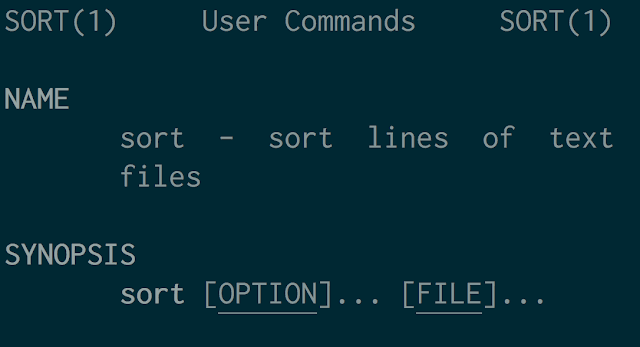
sort Command Cheatsheet
The sort command in Unix-like systems is used to sort lines of text files. It is highly configurable and supports various sorting criteria. Here’s a quick reference guide:
Basic Syntax
sort [OPTION]... [FILE]...
Common Options
-o FILE: Write the output to FILE instead of standard output.sort -o sorted.txt unsorted.txt-n,--numeric-sort: Compare according to string numerical value.sort -n numbers.txt-r,--reverse: Reverse the result of comparisons.sort -r file.txt-k FIELD,--key=FIELD: Sort by a specific field. Fields are separated by tabs or spaces.sort -k 2 file.txt # Sort by the second field-t CHAR,--field-separator=CHAR: Use CHAR as the field separator (default is whitespace).sort -t, -k 1,1 file.txt # Sort by the first field, assuming fields are separated by commas-u,--unique: Output only the first of an equal run.sort -u file.txt-f,--ignore-case: Fold lower case to upper case characters.sort -f file.txt-u,--unique: Output only the first of an equal run.sort -u file.txt-b,--ignore-leading-blanks: Ignore leading blanks.sort -b file.txt
Examples
Sort lines in a file alphabetically:
sort file.txtSort numerically:
sort -n numbers.txtReverse the order:
sort -r file.txtSort by the second field:
sort -k 2 file.txtSort by a custom delimiter (e.g., comma):
sort -t, -k 1,1 file.txtOutput unique lines:
sort -u file.txtIgnore case while sorting:
sort -f file.txtSort ignoring leading blanks:
sort -b file.txtWrite sorted output to a file:
sort -o sorted.txt unsorted.txt
Additional Information
Help option:
sort --helpView
sortmanual page:man sort
This cheatsheet covers the essential options and usage scenarios for the sort command. For more advanced features and details, refer to the man page or use sort --help.




