Argo CD - Application Parallel Deployments
Introduction
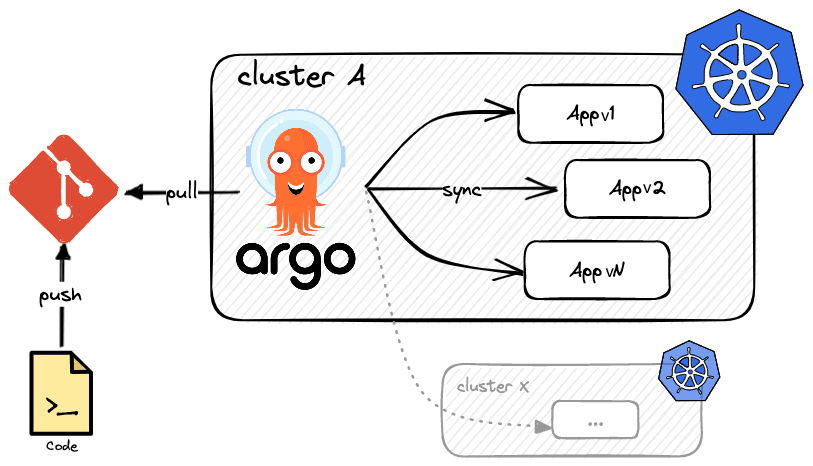
Deploying multiple versions of an application from feature branches in parallel using Argo CD, especially when dealing with non-matching commit SHAs due to a flag on an MR set to Enable merged results pipelines, requires a strategy that allows for distinct application instances.
The core issue is that Argo CD, by default, expects a direct link between a Git revision and the deployed state. When your MR flag triggers a deployment that doesn't directly correspond to the latest commit on the feature branch, Argo CD will detect a discrepancy.
Potential Approaches
Unique Application Names and Resources:
Create a distinct Argo CD
Applicationresource for each feature branch deployment. This means each feature branch deployment will have its own dedicated Application in Argo CD, allowing independent tracking and synchronization. This also necessitates unique names for the Kubernetes resources deployed within each feature branch environment (e.g.,my-app-feature-x-deployment,my-app-feature-y-service).Parameterization and Templating:
- Helm or Kustomize Overlays: Utilize templating tools like Helm or Kustomize to parameterize your application manifests. This allows you to dynamically inject unique identifiers (e.g., branch name, MR ID) into resource names and potentially other configurations (like ingress hostnames, environment variables).
- Argo CD
ApplicationParameters: Leverage thespec.source.targetRevisionfield in your Argo CDApplicationto point to the specific feature branch. You can also usespec.source.helm.parametersorspec.source.kustomize.parametersto pass dynamic values to your templated manifests.
Automation for Application Creation:
- ApplicationSets: For a more scalable solution, use Argo CD ApplicationSets. ApplicationSets can dynamically generate
Applicationresources based on templates and various generators (e.g., Git, List, Cluster). You can configure an ApplicationSet to create a newApplicationfor each feature branch that meets certain criteria (e.g., has a specific label or file present). - CI/CD Pipeline Integration: Integrate the creation and deletion of these unique Argo CD Applications into your CI/CD pipeline. When an MR with the flag is merged, your pipeline can trigger the creation of the new Argo CD Application, pointing to the relevant feature branch. Upon completion or closure of the feature branch, the pipeline can delete the corresponding Argo CD Application.
- ApplicationSets: For a more scalable solution, use Argo CD ApplicationSets. ApplicationSets can dynamically generate
Conclusion
By implementing these strategies, you can maintain independent, parallel deployments of your application from feature branches while ensuring Argo CD correctly tracks and reconciles the state of each distinct instance.




